Jazz Balance Save Code — Stop Automatic Balance Deduction
If you’ve ever opened your phone and found your balance mysteriously gone — even though you didn’t make a single call — you’ve run into one of Jazz’s most common complaints: silent background deduction. Jazz’s Balance Save Code exists specifically to stop this, and it costs nothing to activate.
This guide explains not just the code, but why the deduction happens in the first place, what the service actually protects against, how it compares to Jazz’s separate “Secret Balance” wallet service, and what to do if it doesn’t seem to be working.
Quick Summary
| Service Name | Jazz Balance Save |
|---|---|
| Activation Code | *275# |
| Deactivation Code | *275*4# |
| Status Check Code | *275*2# |
| Info Code | *275*3# |
| Price | Free (Rs. 0) |
| Validity | 30 Days (renews on reactivation) |
Jazz and Warid use the same balance save code, since Warid now operates under the Jazz network. Confirm current codes via the Jazz World (Simosa) app if any don’t respond.
What Is the Jazz Balance Save Code?
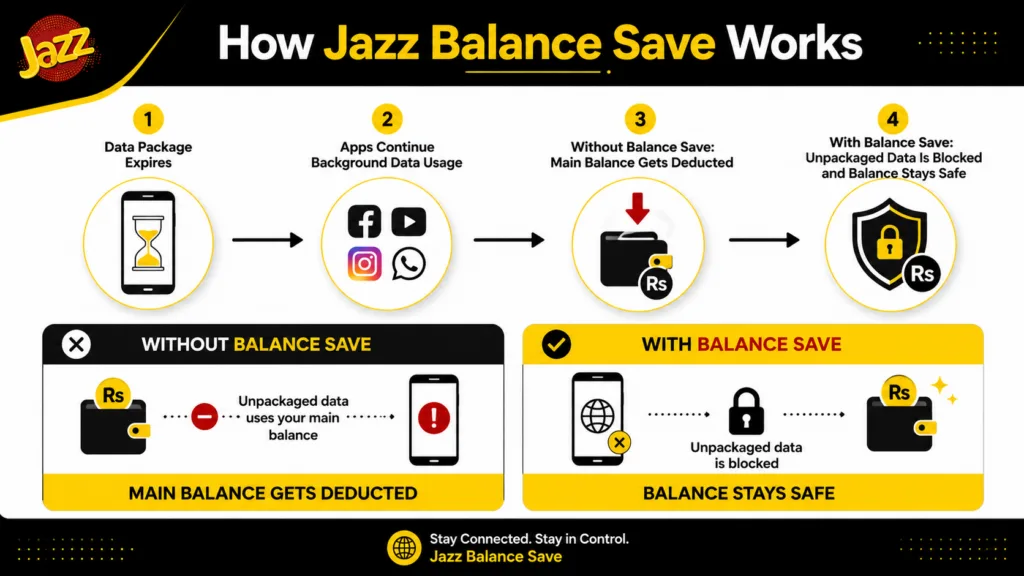
Jazz Balance Save is a free protection service that stops your main account balance from being automatically deducted when you don’t have an active package covering what you’re doing. Once activated, it blocks background charges for 30 days, after which you need to reactivate it.
How It Actually Works (Why Your Balance Disappears)
Here’s the mechanism most guides skip: your phone doesn’t stop using data just because your internet package has expired. Apps like WhatsApp, Chrome, and background sync keep trying to connect, and without an active package, Jazz charges this directly from your main balance at standard rates.
Important Tip
Balance Save protects against data deduction specifically. It won’t stop charges from services you actively subscribe to, like premium SMS or content subscriptions — it only blocks the “background data at standard rate” problem.
Balance loss from calls, not data? Balance Save won’t help there — a fixed bundle like Monthly Call Packages covers your minutes directly instead.
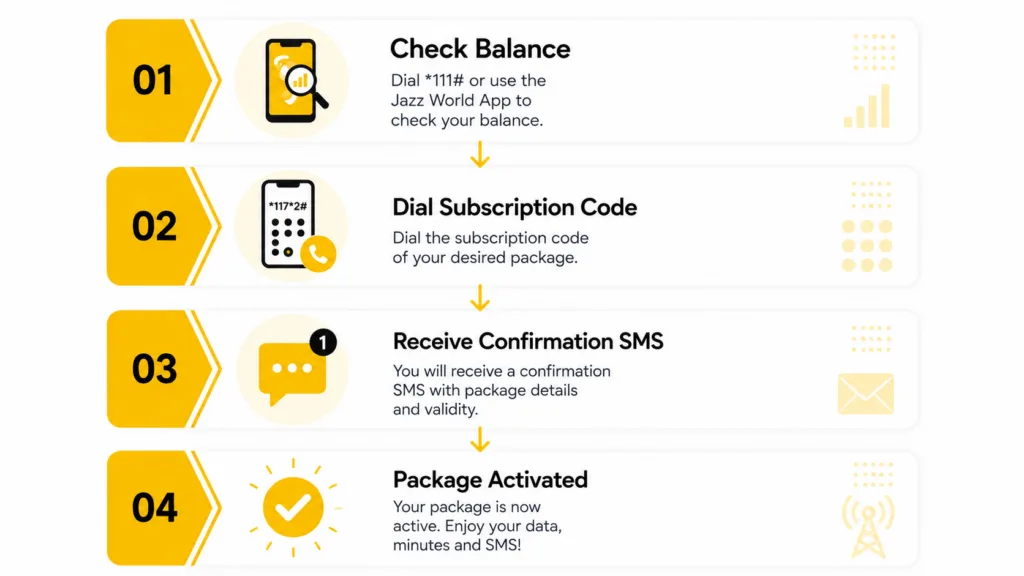
Step-by-Step: How to Activate
- Open your phone’s dialer.
- Dial *275# and follow the on-screen confirmation.
- Wait for the confirmation SMS confirming the service is active.
- Verify it’s working by dialing *275*2# to check status.
- To turn it off, dial *275*4# — useful if you specifically want to allow background data temporarily.
Pros & Cons
- Completely free to activate, maintain, or use
- Directly addresses one of the most common Jazz complaints
- Simple to activate and deactivate on demand
- Works identically for Jazz and Warid numbers
- Doesn’t auto-renew — needs manual reactivation
- Only protects data-related deduction, not all charges
- No in-app dashboard — must dial a status code to verify
- Easy to forget to turn back on after testing
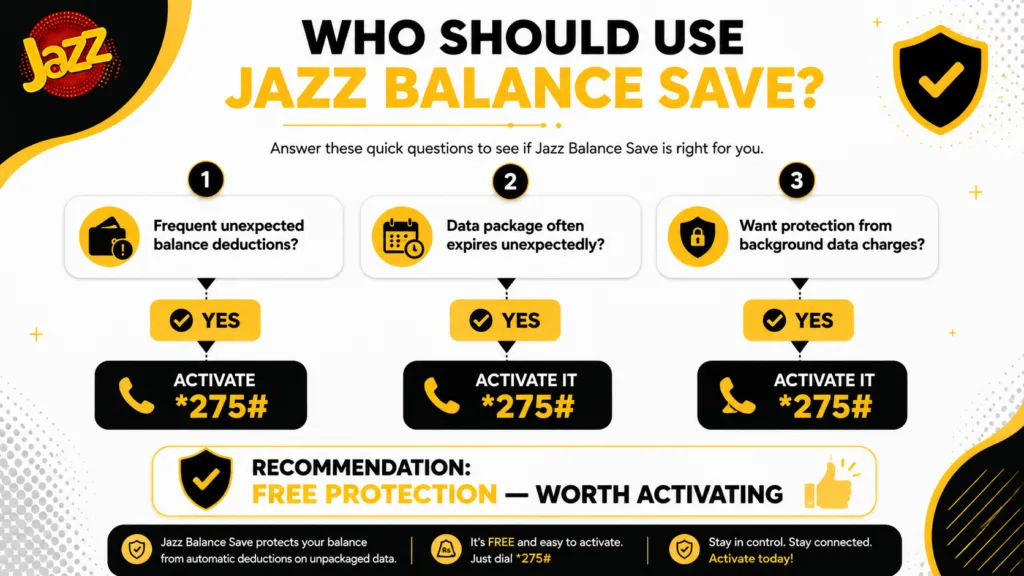
Who Should Use It?
- Anyone who has ever noticed an unexplained balance drop
- Users on app-specific packages (WhatsApp, TikTok) who also use other apps occasionally
- People who often let a package expire before recharging
- Prepaid users who like a “set and forget” safety net
- You’re on a large unlimited-style hybrid package and rarely run out
- You specifically want background data to keep working between packages (e.g., for a monitoring SIM)
- You’re comfortable manually tracking package expiry and would rather not deal with reactivating every 30 days
In practice, there’s almost no real “downside” group here — even light users benefit, since the only cost of activating is a reminder to renew it monthly.
Balance Save vs. Secret Balance Wallet
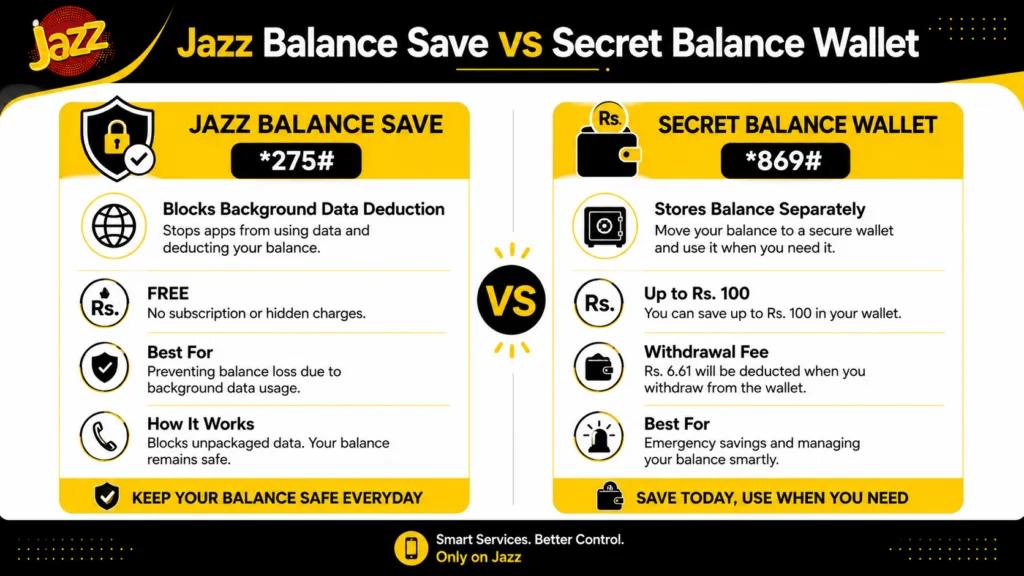
Jazz also offers a completely different service, sometimes called the “Secret Balance” or “Doosra Balance” wallet, activated via *869#. It’s easy to mix these up since both involve “protecting” your balance, but they solve different problems.
| Feature | Balance Save (*275#) | Secret Wallet (*869#) |
|---|---|---|
| What it does | Blocks background data deduction | Stores balance in a separate “vault” |
| Cost to activate | Free | Free |
| Cost to use | None | Rs. 6.61 per withdrawal |
| Storage limit | Not applicable | Up to Rs. 100 |
| Best for | Stopping silent deductions | Setting aside emergency balance |
Does Balance Save Block Anything Else?
A question the topic rarely gets a straight answer to: no, Balance Save does not interfere with Jazz Advance (balance loans), balance sharing, JazzCash transactions, or your ability to recharge. It specifically targets unpackaged data usage draining your main balance — nothing more.
Quick Decision Box
- You want a free, permanent safety net
- You’ve ever lost balance without knowing why
- You use app-specific packages alongside other apps
- You need background data to keep working between packages
- You already never run out of package data
Myth vs. Fact
Real-Life Example
Your Jazz Monthly Super Duper package (15 GB) runs out on the 28th, two days before you planned to recharge. Without Balance Save, your phone keeps syncing WhatsApp, email, and app updates at Jazz’s standard rate — commonly Rs. 5/MB — and even light background activity over two days can quietly drain Rs. 200–400 before you notice.
With Balance Save active, the same scenario simply results in no internet access until you recharge or resubscribe — annoying, but your balance stays untouched.
Common Mistakes to Avoid
- Assuming it’s permanent. It expires after 30 days — set a reminder to reactivate.
- Thinking it stops all charges. It only blocks unpackaged background data usage.
- Never checking if it’s actually active — dial *275*2# to confirm status.
- Confusing it with the Secret Balance Wallet — they’re separate services.
- Deactivating it “just to test something” and forgetting to turn it back on.
Troubleshooting
Pro Tips
FAQs
What is the Jazz balance save code?
Is the Jazz balance save code free?
How long does Jazz balance savings last?
How do I check if balance saver is active?
How do I turn off balance saving?
Does balance save stop all balance deductions?
What is the Jazz balance hide code?
What is the Jazz balance lock code?
Does balance save work for Warid numbers?
Will Balance save me from getting a Jazz Advance loan?
Can I use Balance Save and the Secret Balance Wallet at the same time?
Conclusion
Jazz Balance Save is one of the few genuinely free, no-downside services Jazz offers — it solves a real, common frustration without costing anything or restricting other account functions. The main habit to build is remembering to reactivate it every 30 days, since it doesn’t renew automatically and gives no warning when it lapses.
Final verdict: Activate *275# today regardless of whether you’ve had deduction problems before — it’s free, takes seconds, and has essentially zero downside.
Codes, pricing, and service details are cross-checked against Jazz’s official channels and the Jazz World app at the time of writing.
Codes, price, and validity period are verified facts. Usage scenarios, comparisons, and recommendations reflect editorial analysis, not official Jazz marketing claims.
Jazz official website (jazz.com.pk), Jazz World (Simosa) app service listings, accessed September 2026.